Fix
Electric toothbrush not holding charge
Published
Note: This page contains affiliate links. If you buy through them we may earn a commission at no extra cost to you. Learn more
In short
An electric toothbrush that no longer holds its charge usually has a worn battery, especially if it is several years old. Check the charger and socket first, charge it fully, and compare your brushing time with the maker's battery figure. Most modern handles are sealed, so if the battery has worn out within the warranty, contact the maker; outside it, a new handle is usually the practical answer.
Products for this job
Compare all 8 productsOral-B iO6: Sensitive and Super-Sensitive modes, display
Check price on AmazonAffiliate linkSonicare Next-Gen 9900 Prestige: SenseIQ, 8 modes, display
Check price on AmazonAffiliate linkOral-B iO9: 7 modes, 3 heads, charging travel case
Check price on AmazonAffiliate link
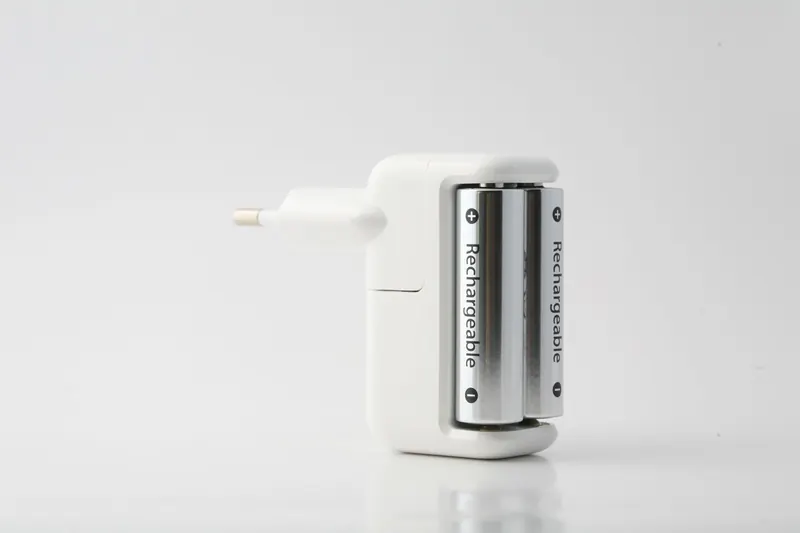
Rechargeable toothbrush batteries do not last for ever. After a few years, a brush that once ran for two weeks may need charging every few days, or may stop mid-brush. Before deciding the battery is finished, it is worth ruling out a charger problem, a socket that is off, or a mode and app setup that uses more power than you expect. This guide explains how toothbrush batteries age, what you can check at home and what your options are when the battery has had its day.
Why toothbrush batteries lose capacity
Most current electric toothbrushes from Oral-B and Philips Sonicare use lithium-ion batteries. Older or cheaper brushes may use nickel-metal hydride. Both lose capacity with use and age. Each full charge and discharge is a cycle, and after a few hundred cycles a lithium-ion battery holds noticeably less than when it was new.
Heat also ages batteries. A brush kept in a hot, steamy bathroom or left on a sunny windowsill will tend to wear faster than one kept somewhere cooler. This is normal behaviour for rechargeable batteries rather than a fault.
Checks to make first
Rule out the simple things before concluding the battery is worn.
- 1
Confirm the socket has power. In a bathroom, check the shaver socket is switched on.
- 2
Clean the base of the handle and the charger so the handle sits flat.
- 3
Charge the handle fully, using the time given in the manual. Some chargers take many hours to fill an empty battery.
- 4
Note how many brushing sessions you get from a full charge, and how long each one lasts.
- 5
Check whether you are using a high-intensity mode, a long mode or a Bluetooth app connection, which can all shorten run time.
- 6
If a second charger or travel case is available, try that to rule out a faulty charger.
Compare with the maker's battery figure
Makers usually quote battery life in days, assuming two brushes a day of two minutes each. If you brush for three minutes, or three times a day, you will get fewer days than the figure on the box. Our battery-days check works out what you can expect from the quoted figure and your own habits.
For example, a brush rated at 14 days gives about 56 minutes of brushing. At two brushes of three minutes a day, that is about nine days. If you are getting close to your expected figure, the battery is probably fine.
| What you see | Likely explanation |
|---|---|
| Close to the expected days | Battery is healthy |
| Around half the expected days | Battery wearing, or heavy mode and app use |
| Only a session or two per charge | Battery near the end of its life |
| Will not switch on at all | Flat battery, charger fault or handle fault |
Does leaving it on the charger hurt the battery?
Modern lithium-ion toothbrushes have charging circuits that manage the battery, and makers such as Philips and Oral-B design their handles to sit on the charger between uses. Check your manual, as some makers suggest running the battery down fully now and then, while others say this is not needed.
What does matter is heat. Keep the charger away from radiators and direct sun, and avoid charging in a very hot room where possible.
Brush will not turn off or behaves oddly
A brush that will not turn off, switches modes on its own or runs weakly can be a sign of a failing battery or a water-damaged switch. Try a full charge and a reset if your model has one. Our guides for Philips Sonicare not working and resetting an Oral-B iO cover the brand steps.
If the brush keeps running and will not stop, let the battery run flat, then charge and test it. If the fault comes back, contact the maker.
Note:Toothbrush handles are sealed against water and contain a lithium-ion battery. Do not open the handle, puncture the battery or try to fit a replacement cell. A damaged lithium battery can overheat.
Repair, warranty or replace
If the handle is within its warranty, contact the maker with proof of purchase. Oral-B and Philips both offer a standard warranty, and registration on the maker's website has been used to extend it on some products. Check the current terms for your brand.
Outside the warranty, most mainstream handles are not designed for a home battery swap. A new handle is usually the practical option. Dispose of the old one at a household waste recycling centre or a retailer's electrical recycling point, not in general rubbish, because of the battery inside.
If you are replacing a handle, our best electric toothbrush guide compares current premium models, and our travel case guide covers models that charge in their case.
Frequently asked questions
How long should an electric toothbrush battery last? That depends on use and model, but a lithium-ion battery commonly gives a few years before capacity drops noticeably. See how long an electric toothbrush lasts.
Can I replace the battery in my electric toothbrush? Most current handles are sealed and not designed for home battery replacement. Contact the maker about your options.
Why did my electric toothbrush stop working suddenly? Common causes are a flat battery, a charger or socket problem, or water getting into the handle. Charge it fully, check the charger, then contact the maker.
Should I store my brush on the charger? Most makers design their brushes to live on the charger. Check your manual for any specific advice.
What you need
- Check price on AmazonAffiliate link
Oral-B iO6: Sensitive and Super-Sensitive modes, display
From: Best electric toothbrushes in the UK: premium models compared
- Check price on AmazonAffiliate link
Sonicare Next-Gen 9900 Prestige: SenseIQ, 8 modes, display
From: Best electric toothbrushes with a charging travel case